
The ruler
The ruler is a very powerful tool. It shows how the keyframes of the property are distributed on the clip. Besides that, it lets you move these keyframes to any position of the clip, or even outside of it, which creates animations that were almost impossible with Premiere before.
Another feature of the ruler is that you can easily increase the duration of your animation (without touching the duration of the clip) by dragging one of the edges of the keyframes on the ruler. This makes Sniper redistribute the keyframes proportionally to the new duration, a feature that until now only existed in After Effects.
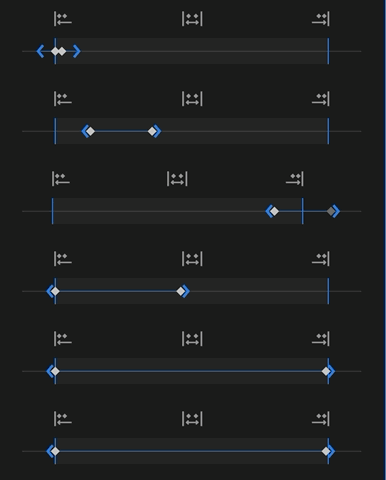
The three buttons
To make editing easier, the ruler has 3 buttons that help with the distribution of the keyframes:
- Put all the keyframes at the start of the clip.
- Put them all at the end of the clip.
- Or distribute the keyframes over the exact duration of the clip.