
Bezier, Overshoot and Bounce
With the Ease tool it is possible to create 3 types of completely customized curves:
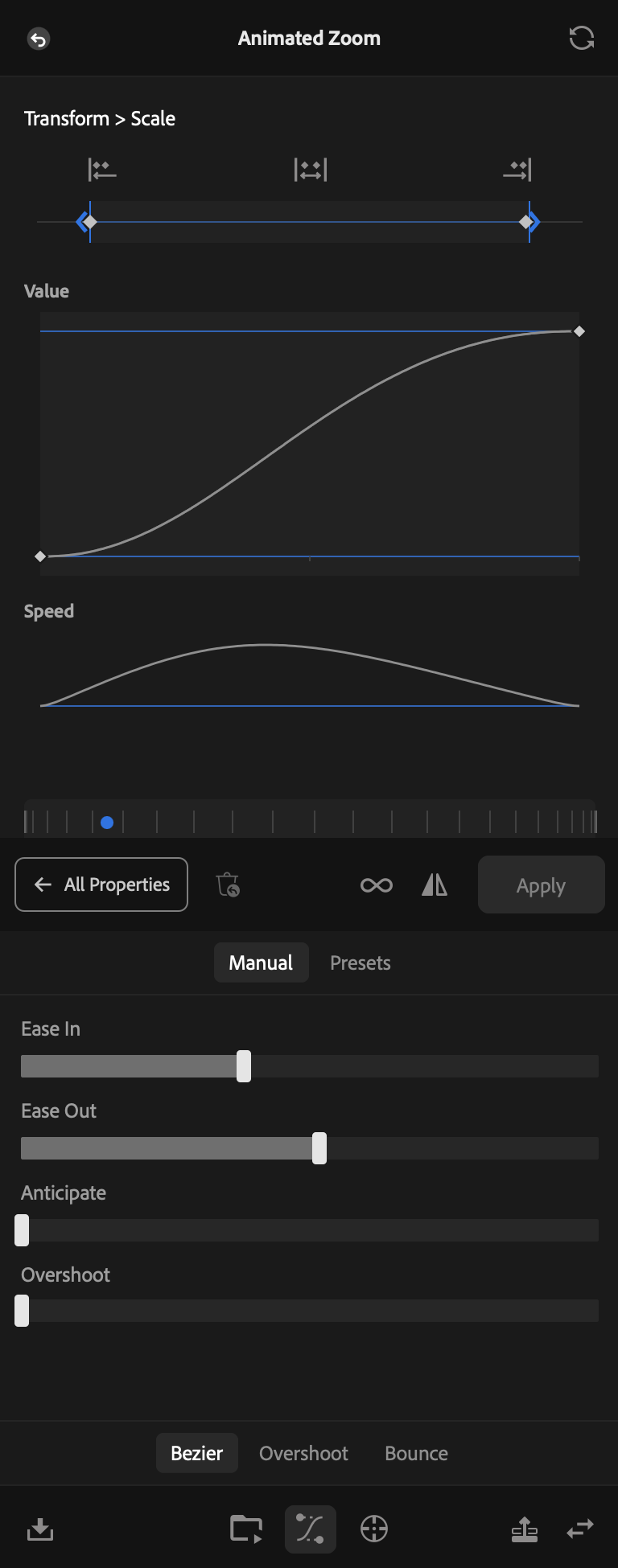
- Bezier: it is the simplest form of curve. The tool offers sliders for you to control: Ease In, Ease Out, Anticipate and Overshoot.
- Overshoot: the movement passes the final point and comes back, like a spring, and you can create it easily with the sliders of Frequency, Amplitude, Decay, Prevent Undershoot and Anticipate.
- Bounce: the movement falls and bounces, with the controls Bounces, Initial Velocity and Elasticity.
You choose the type on the selector at the bottom of the screen: Bezier, Overshoot or Bounce. The sliders of the chosen type appear in the Manual tab, right above it. If you prefer a ready-made curve, the Presets tab holds the ease presets.
The Bezier works between two keyframes, so each stretch of your animation can have a different ease, and you do not lose any keyframe. However, when you switch to Overshoot or Bounce, the keyframes in the middle disappear and only the first and the last remain, because the whole curve starts being generated by the tool. If you go back to Bezier, the property goes back to what is on the timeline.
All the changes made with the controls reflect in real time both on the Value graph and on the Speed one. Besides that, you see interactively how the animation will be, through the preview.
The options of Overshoot
1 Frequency
How many swings the movement makes around the final value before it settles. It goes from 1 to 20.
2 Amplitude
How far the movement passes the final value. At 0 it does not pass it at all.
3 Decay
How fast the swings lose their strength. With a high Decay they die quickly, and with a low one the movement keeps swinging almost until the end.
4 Prevent Undershoot
With this box marked, the swings stay only above the final value: the movement passes it and comes back, without ever going under it.
5 Anticipate
Before leaving, the movement pulls back under its starting value, like someone who takes a step back before jumping. This wind-up uses a part of the time of the animation.
The options of Bounce
1 Bounces
How many arcs the movement makes. The first one is the arrival and the others are the rebounds: with 4, the movement arrives and rebounds 3 times. It goes from 1 to 20.
2 Initial Velocity
The speed with which the movement starts. At 0 it starts from rest, like something that is dropped. With a higher value it starts already fast, like something that is thrown, and the rebounds get bigger.
3 Elasticity
How much of its size each rebound keeps, compared to the one before. With a high value it bounces like a rubber ball, and with a low one the rebounds die quickly.