
A complete toolbox for Premiere Pro, in just one panel
See what you can do with Sniper
Warning: continued use of SNIPER may cause elevated productivity levels and a high degree of dependence on being efficient. Do not use in moderation
See what each tool can do
Library
Save and reuse almost anything from your timeline
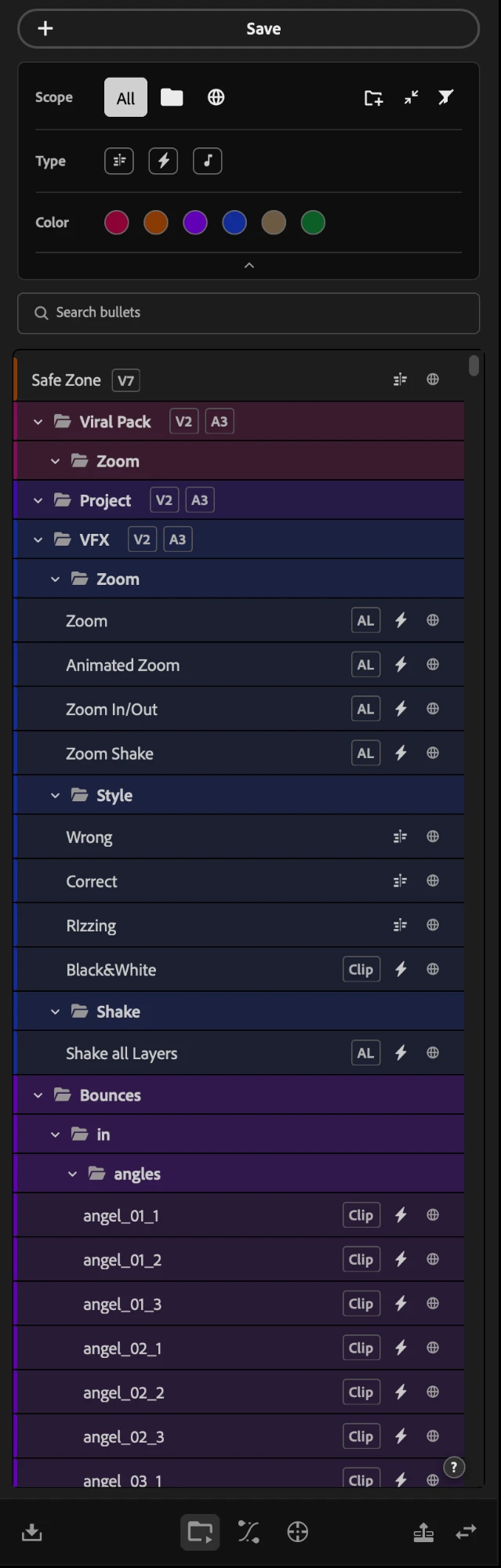
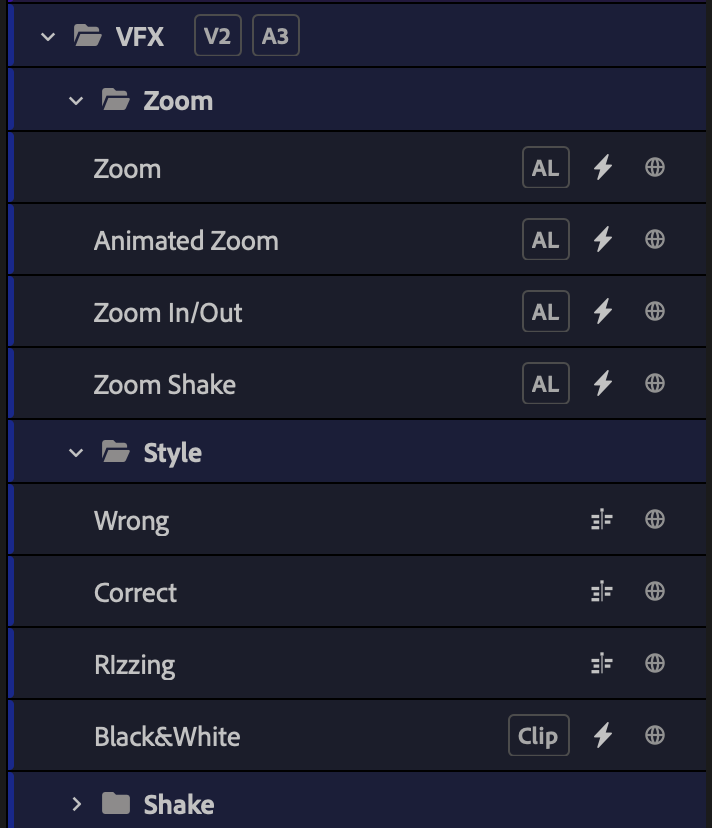
The library is the main tool in Sniper. It saves and reuses almost anything on your timeline, from a single SFX to a complex edit with several layers, or the effects, properties and keyframes of a clip, with the original ease of that animation. Each item you add to the library is called a bullet, and there are three kinds you can save.
Effect bullets
All the properties, effects and keyframes of a clip, saved as a preset.
Content bullets
Anything you select on the timeline: video, audio and graphics, on one track or on several.
SFX bullets
A single audio item. Sniper sees that it is a sound and gives it a play button.
Effect bullets
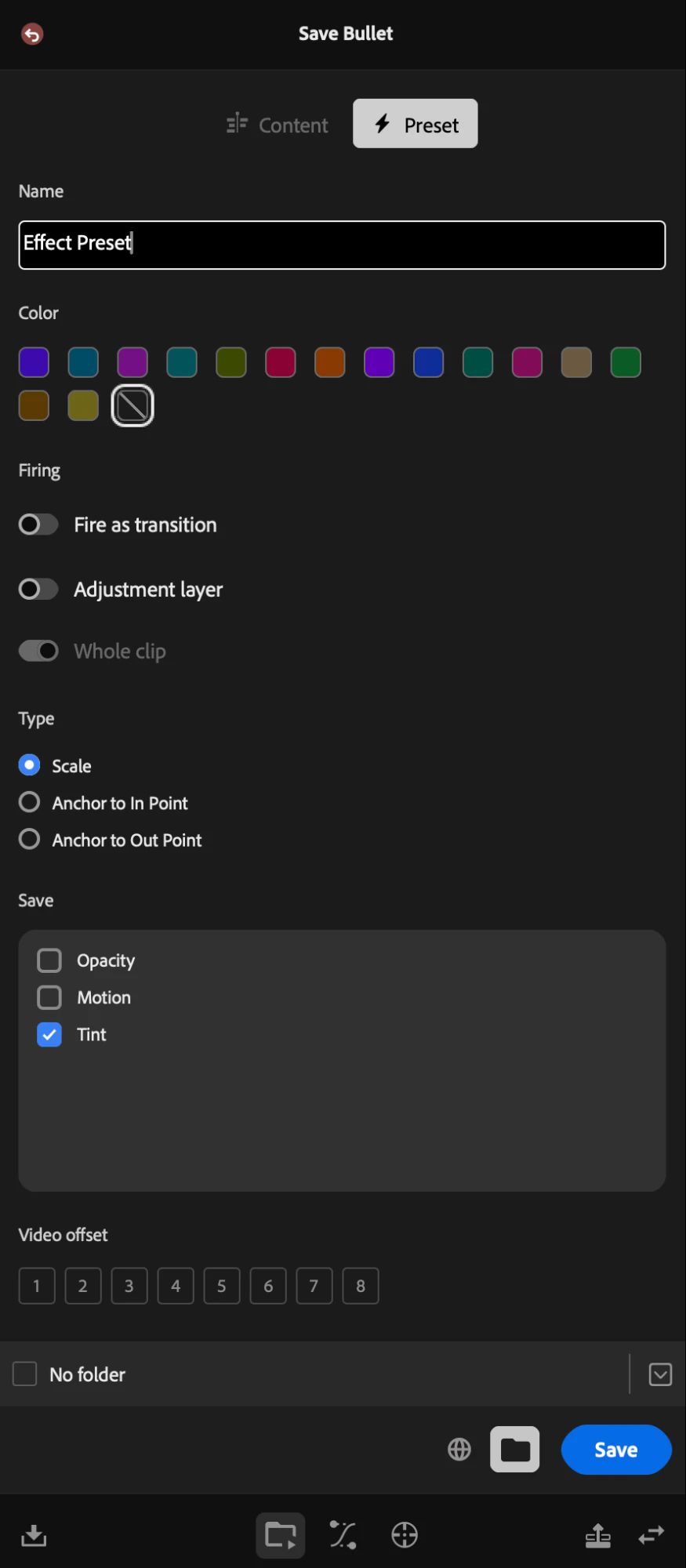
Save all the properties, effects and keyframes of a clip
Select a clip and save its effects as a preset, close to what Premiere already does, with differences that change the whole experience. Sniper lists every effect and property of the clip and you simply mark what you want to take. Give the bullet a color, put it in a folder, choose whether it belongs to this project only or to every project you open. All of it can be changed at any time.
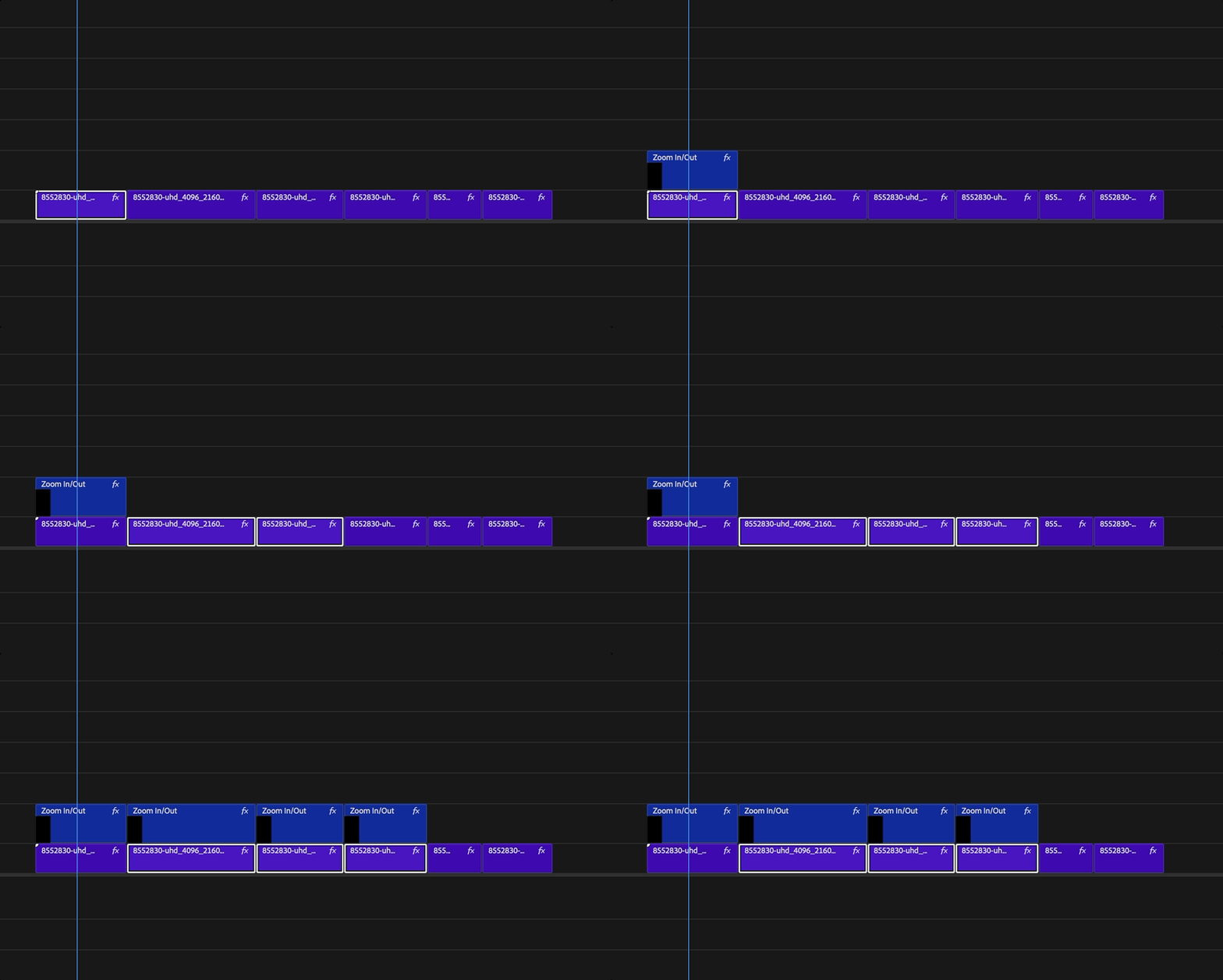
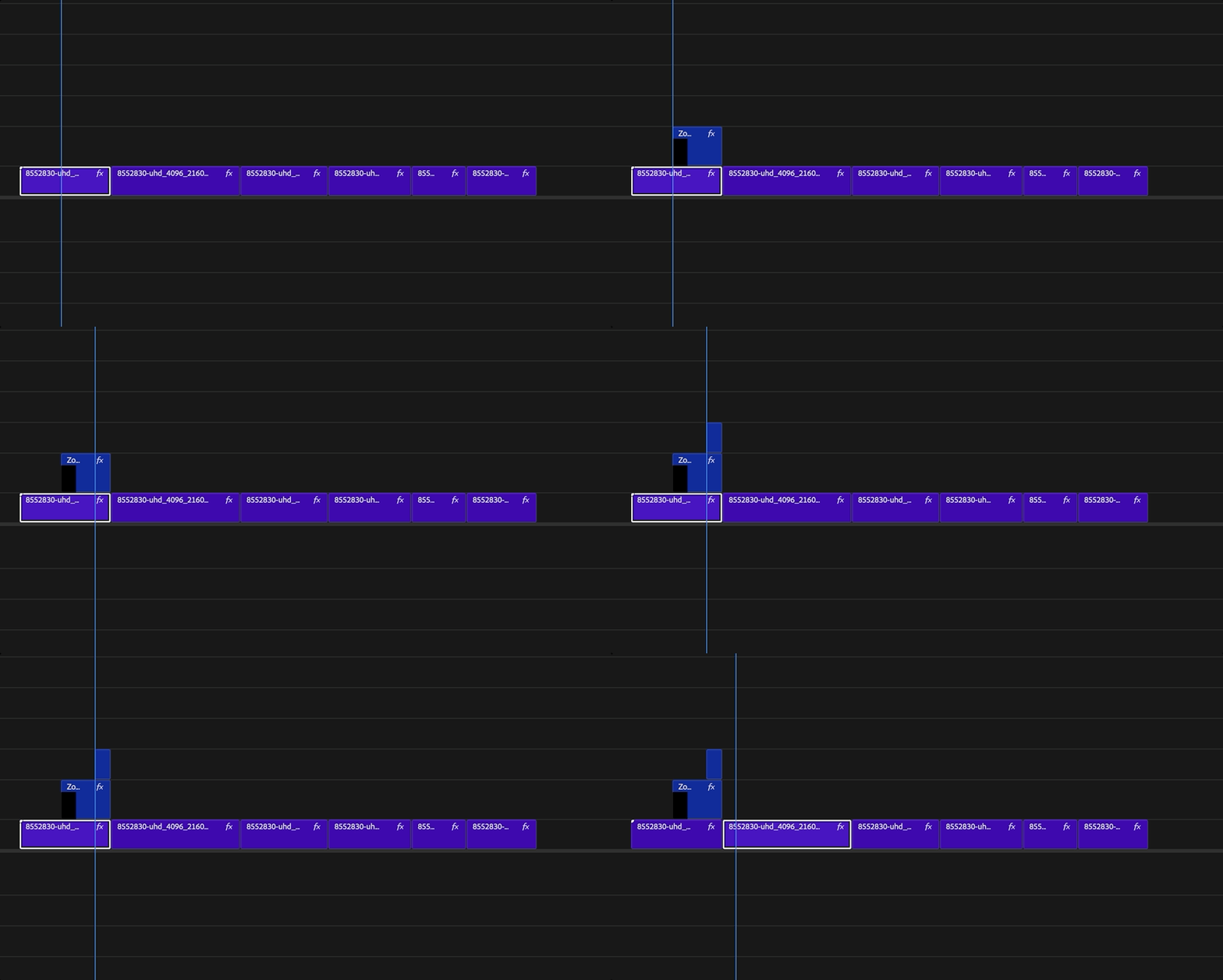
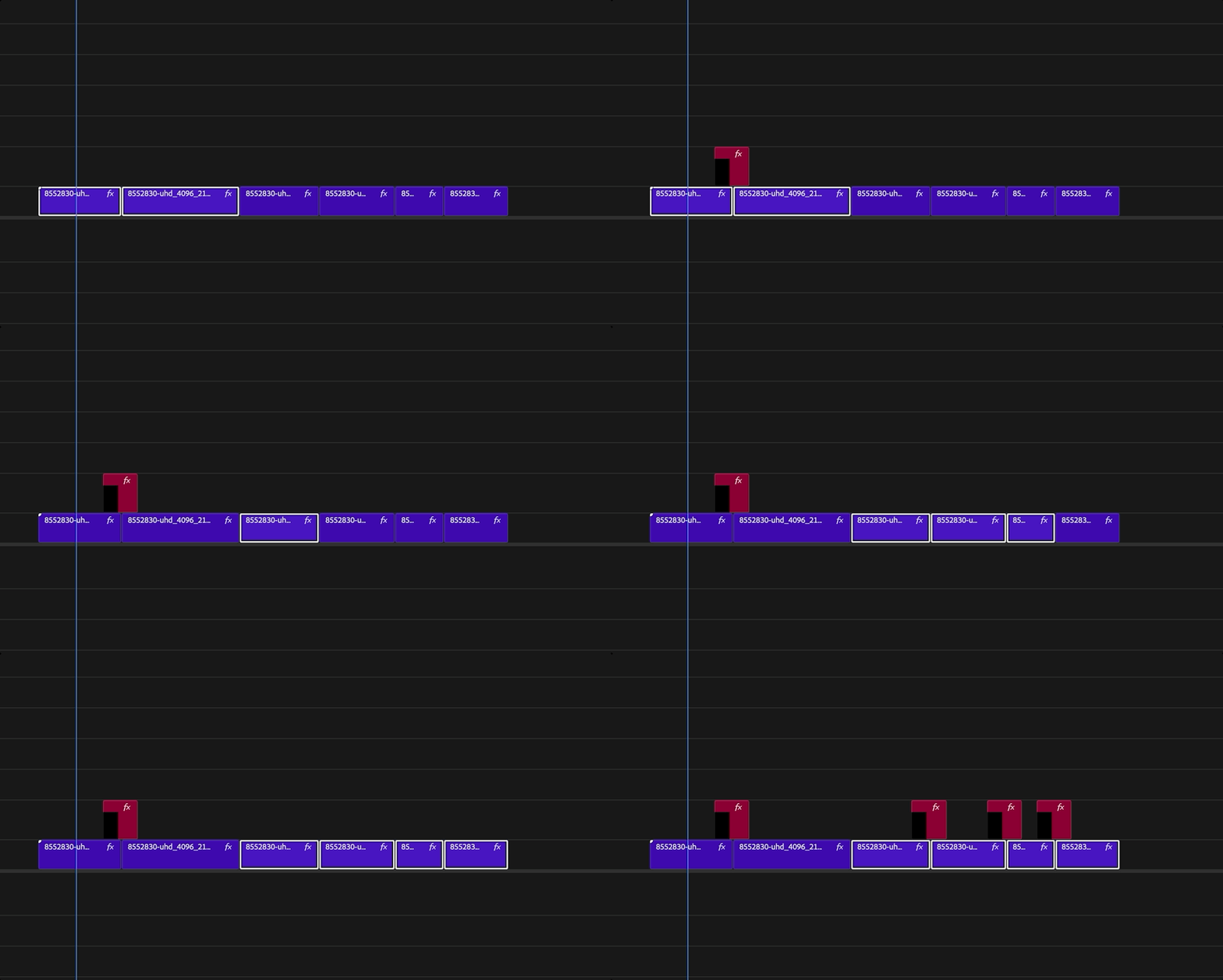
Firing
You can fire your bullets in four different ways
You choose how each bullet fires, and you can change that choice whenever you want. The adjustment layer is inserted for you, above the clip, already carrying the name and the color of the bullet, which keeps your project organized.
It does not deform your timeline
You never nest anything to save. At the moment of the fire, Sniper sees by itself whether the items carry transitions or effects that would be lost if they came in loose and, only then, inserts them nested.
Global bullets do not depend on the project
Every media a global content bullet needs is saved in the folder you chose the first time you opened Sniper, so moving the project does not lose the reference.
Edit in Premiere
Edit your content bullet in Premiere, and the next fire carries your changes. What you already inserted is never altered, so your project stays safe.
Folders
A folder passes its settings to everything inside it
Folders in Sniper are not decoration, they have a real job. Put a set of bullets in a folder and they take its color and its video and audio offsets, which groups your material in a simple way. Make as many levels as you want, and remember that each level takes the settings of the level above it.
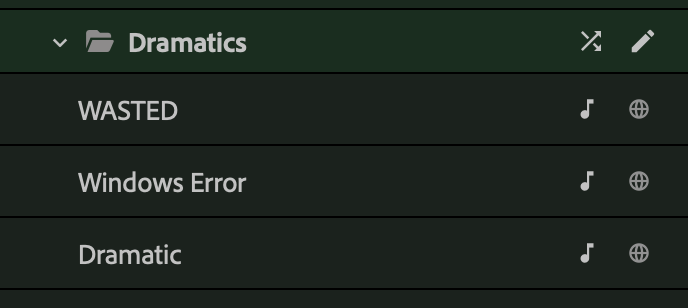
Random fire
Let the folder choose the take for you
When a folder has no levels inside it, a random button appears as the mouse passes over it. Press it and Sniper puts one item of that folder on the timeline. Press again, without losing the selected clip, and it takes the last one back and puts another.
Search and filters
Find anything, and come back to the library as you left it
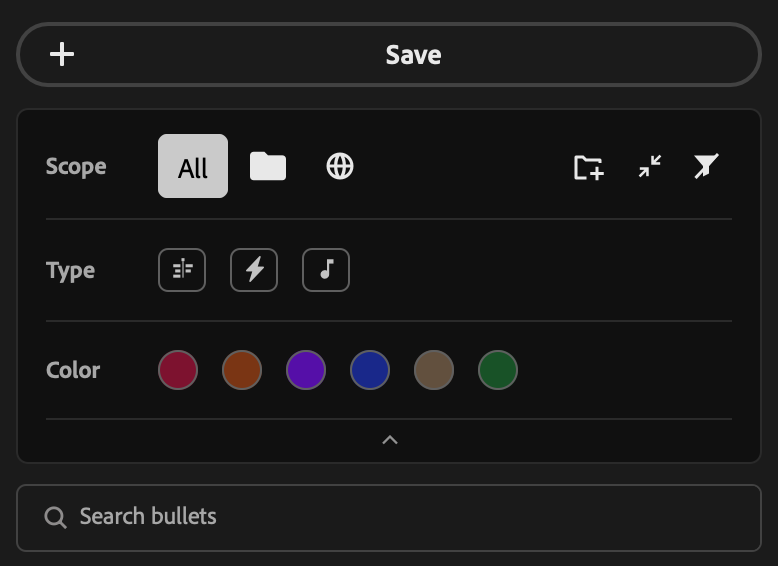
The search reads the name of the bullets and the name of the folders. On top of it there are filters by kind ( content, effect, audio), by scope ( project or global) and by color. They combine, and they stay saved, so you come back to the project and find the library the way you left it.
Import preset packs
Bring the presets you already own into Sniper
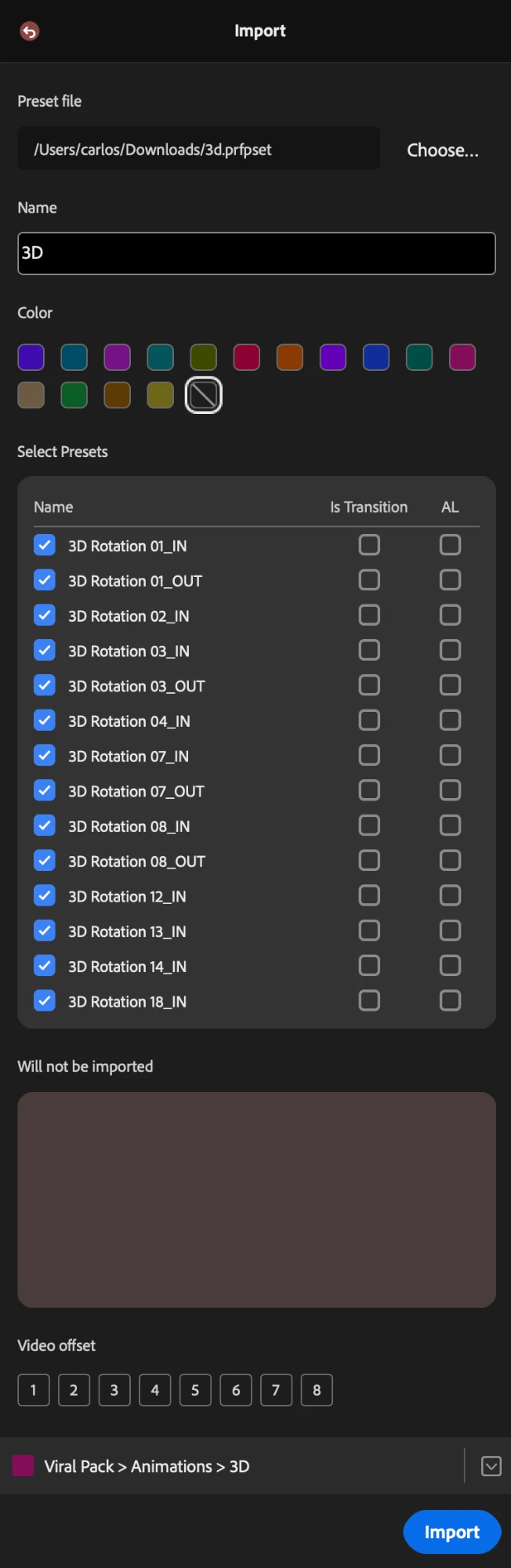
Point Sniper at a .prfpset file. It reads the pack, recreates the folder structure inside the library, and shows a table where you decide, preset by preset, what comes in, what is a transition and what goes on an adjustment layer. Sniper fills that in for you with the best option it found, and you are free to change any of it. Whatever cannot come in appears in a list, with the reason, before anything is written. Once they are inside, those presets are effect bullets and have everything this tool does.
Warning: continued use of SNIPER may cause elevated productivity levels and a high degree of dependence on being efficient. Do not use in moderation
Ease
Read, draw and rewrite the curves of any animation on your timeline
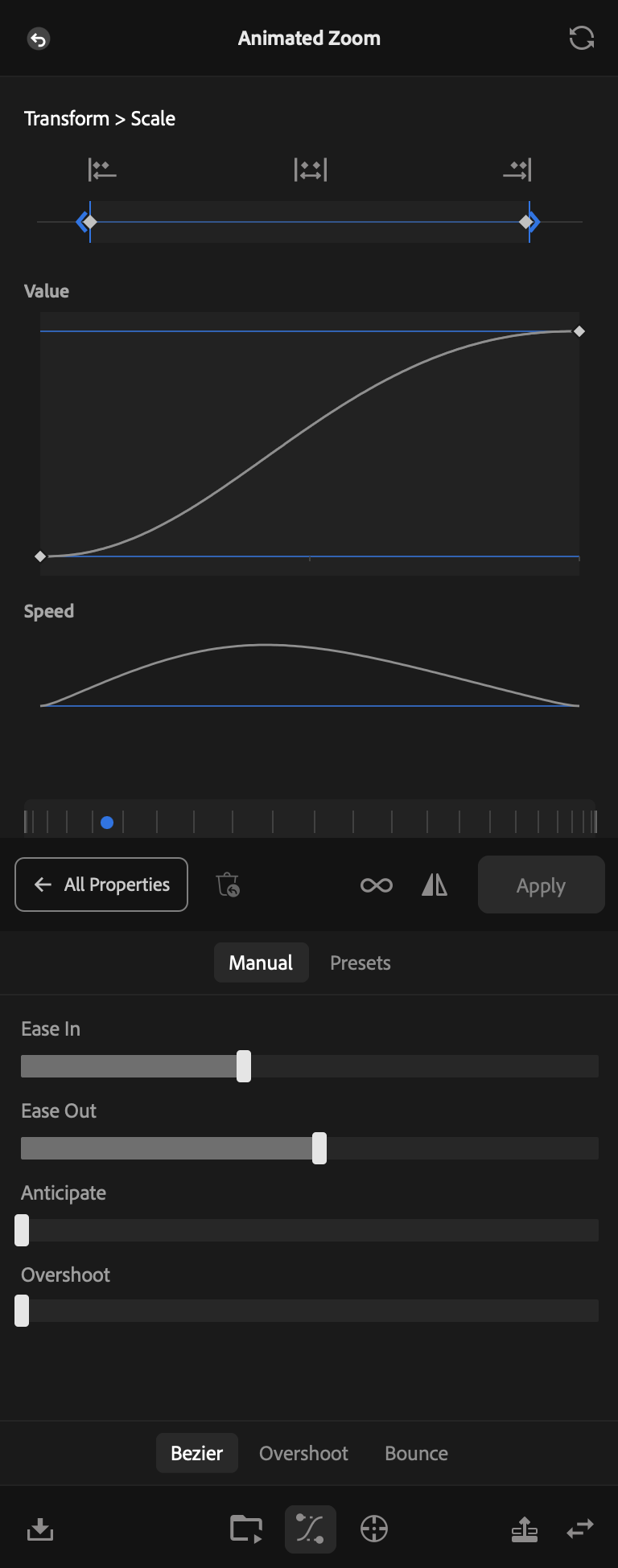
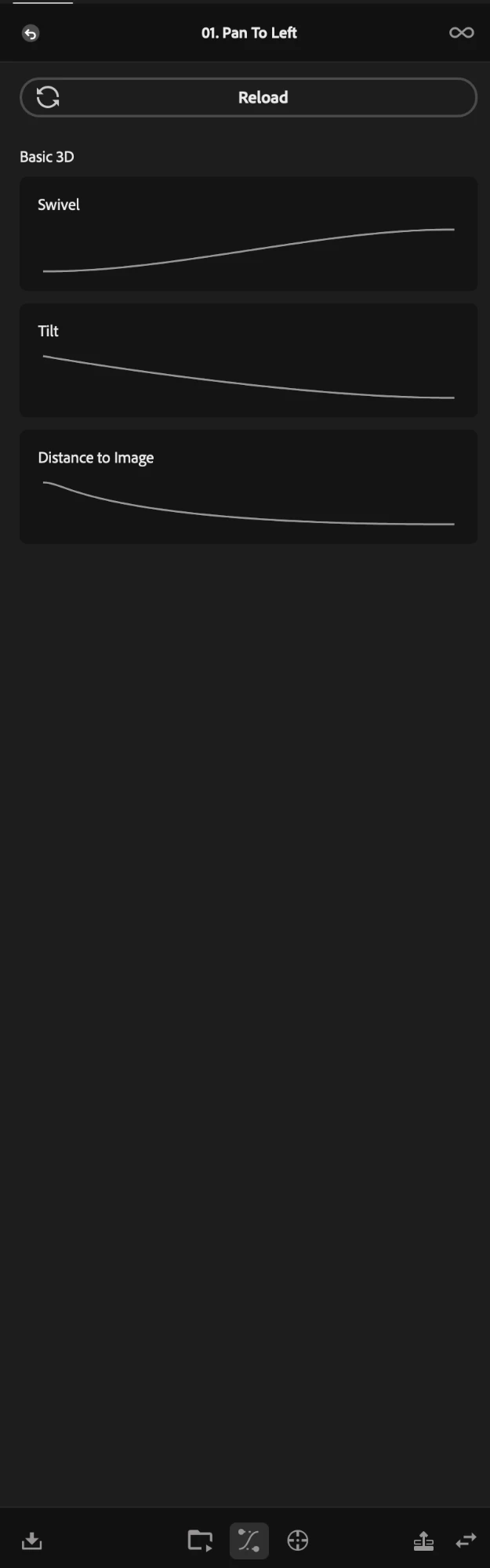
Sniper reads the selected clip, lists every property that has keyframes, and when you select one it draws the animations it found in two separate curves: Value and Speed. From there you edit the ease the way you think is best, create a bounce or an overshoot with total control over every movement, or simply use one of the many ease presets the tool already has.
Curve types
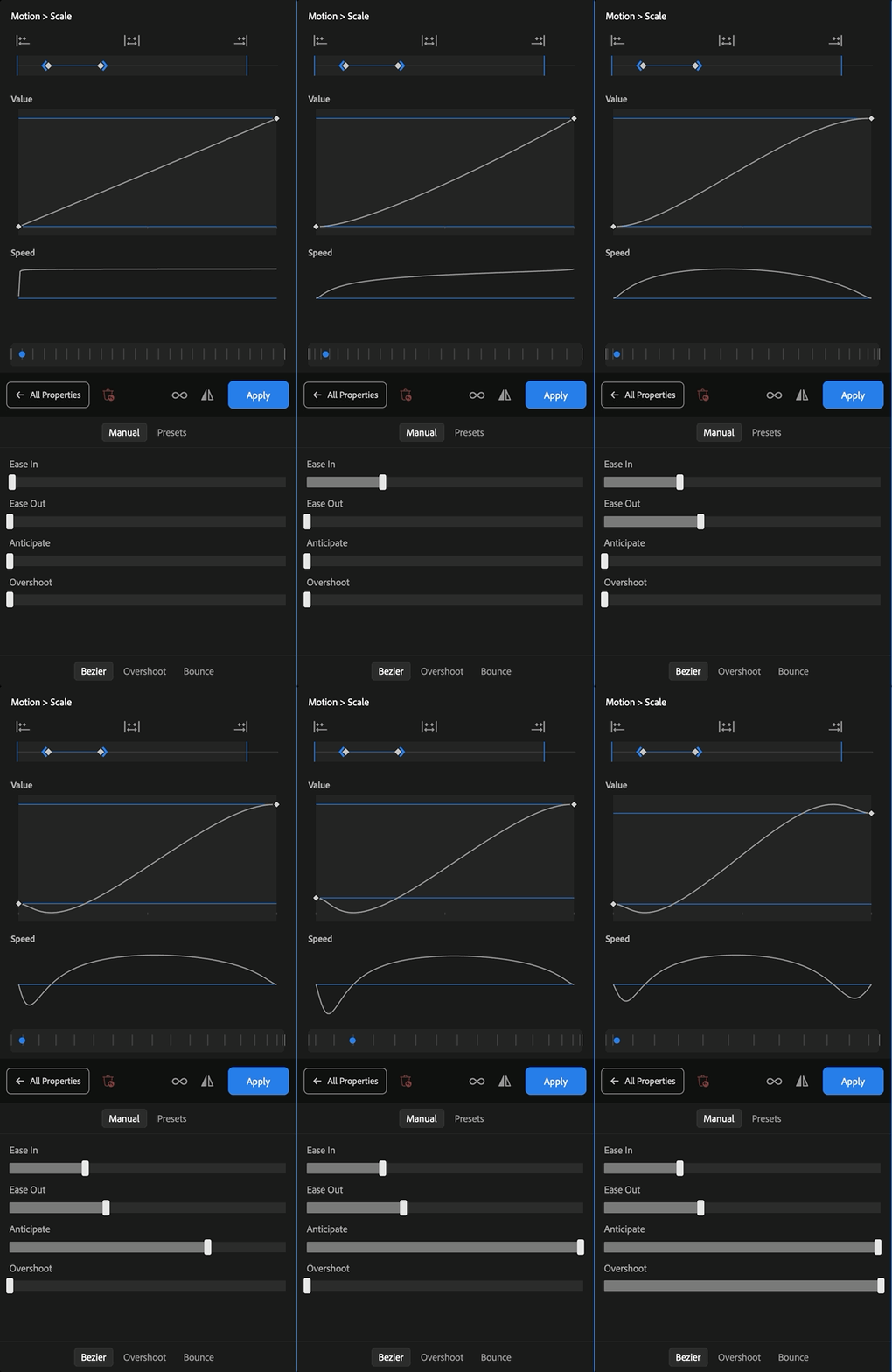
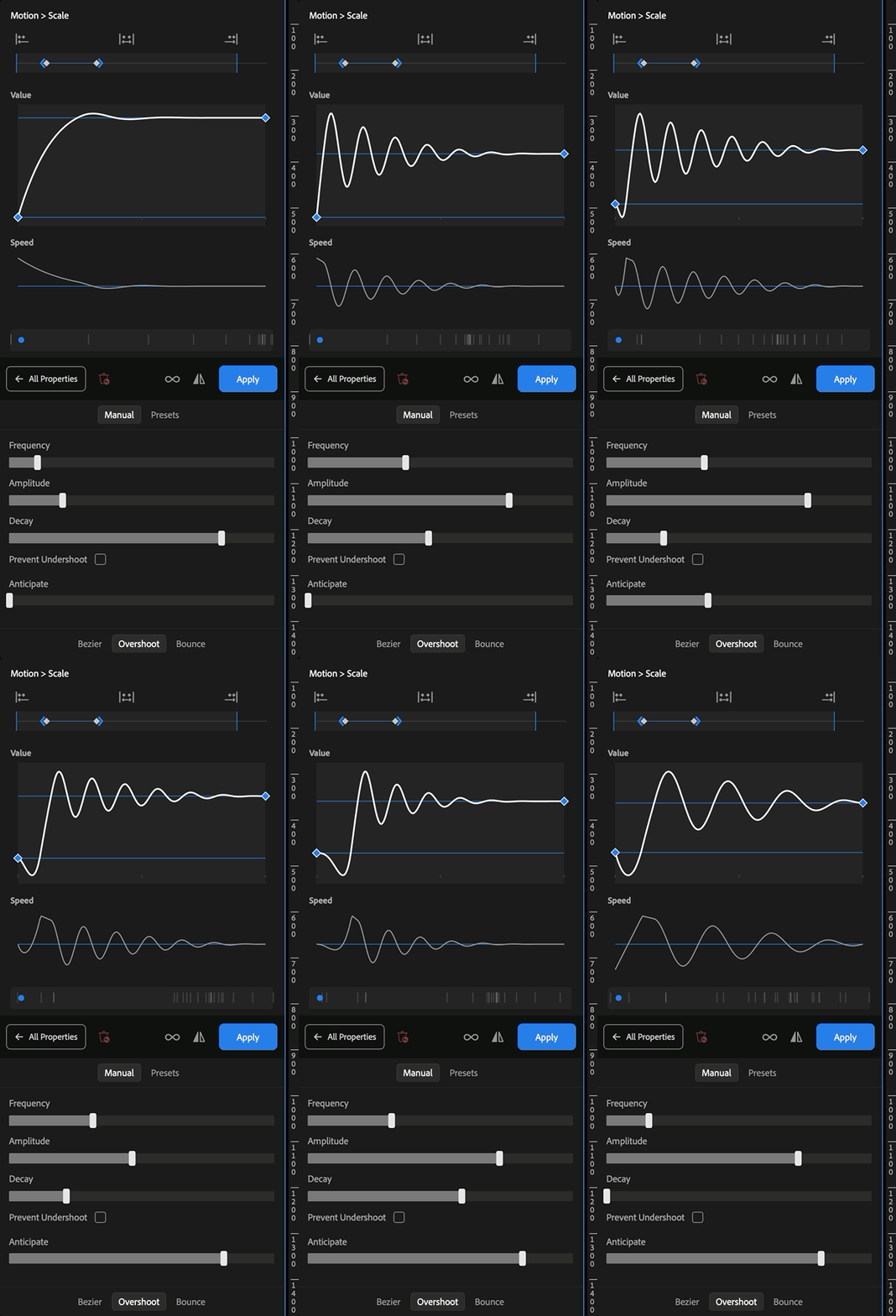
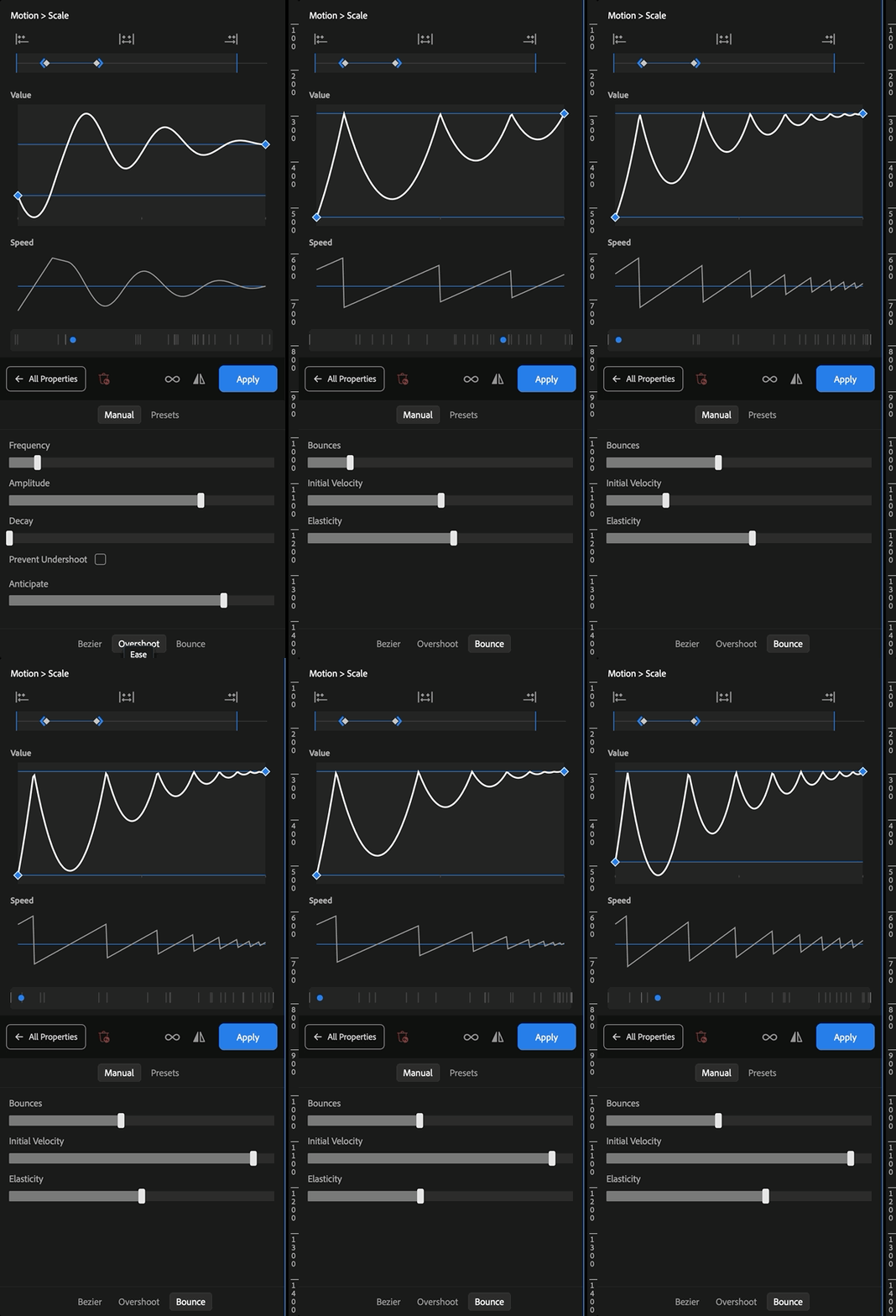
Three kinds of curve, made from end to end by you
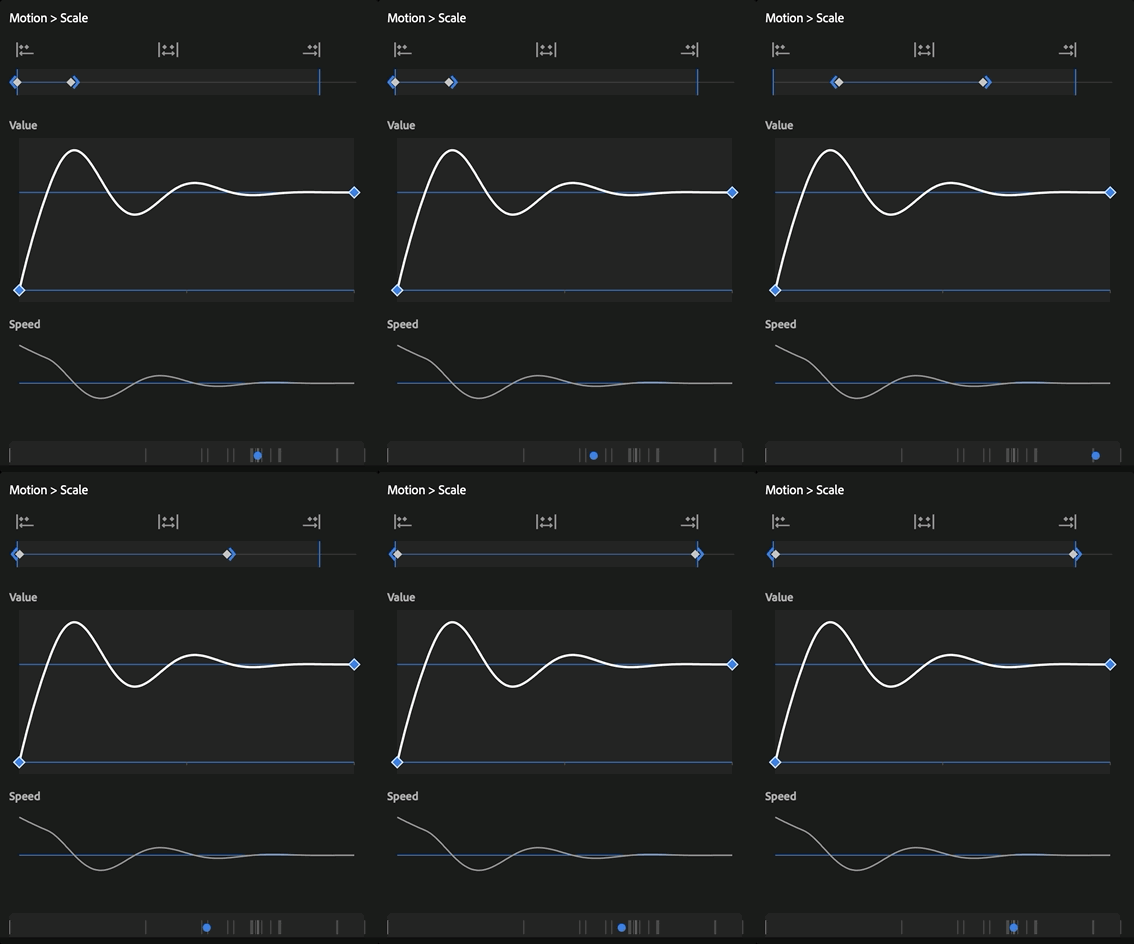
Every change you make on a control shows up in real time on the Value graph, on the Speed graph and on the preview, so you see the speed and the impact of the animation while you are still moving the slider.
The ruler
Move and stretch the animation without touching the clip
The ruler shows how the keyframes of the property are spread across the clip, and it lets you move them to any position of it, or even outside it, which makes animations that were almost impossible in Premiere before. You can also make your animation longer or shorter by dragging one of the edges of the keyframes: Sniper redistributes them in proportion to the new duration, and the clip keeps the duration it had.
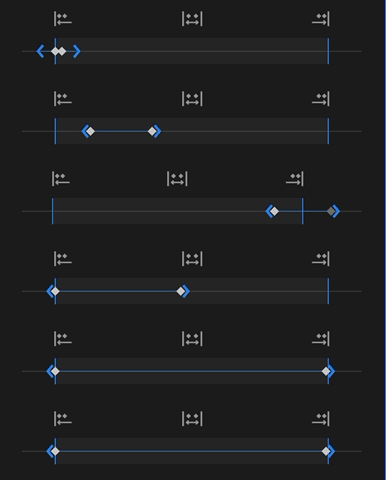
To the start
Puts every keyframe at the start of the clip.
To the end
Puts every keyframe at the end of the clip.
Across the clip
Spreads the keyframes over the exact duration of the clip.
The preview
Real time preview
The preview updates in real time with every change, showing exactly how the ease of your new animation is going to be.
Ease presets
The right amount of ready-made movement
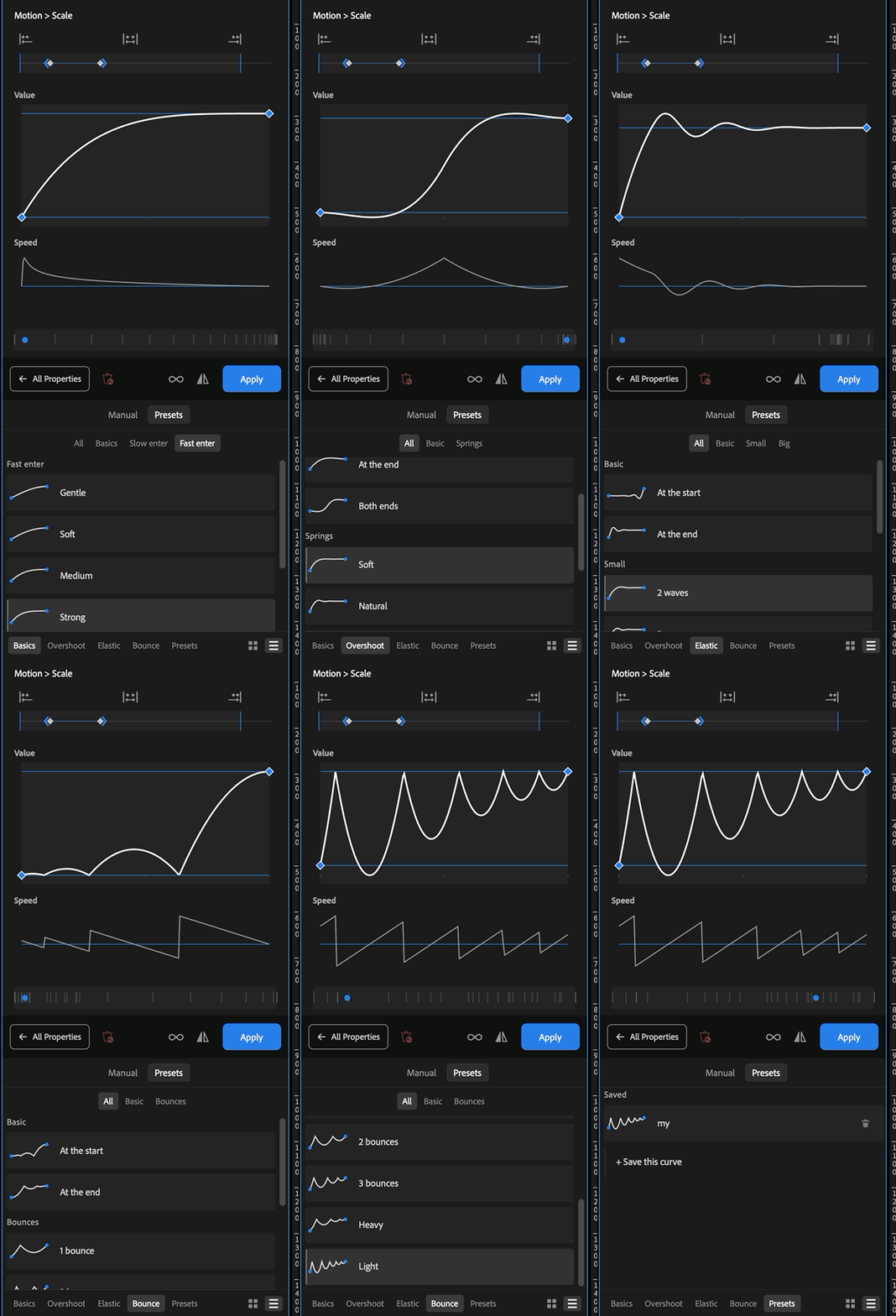
If you do not want to control every detail of your curve, the Ease tool comes with ready-made models that raise the level of your animations. Each one is named by the speed with which the animation enters or leaves the screen and by how strong the movement is, so it is simple to know what to use even without a background in animation. You can also save your own curve, and it becomes a model available in any project.
Loop
Repeat your animations
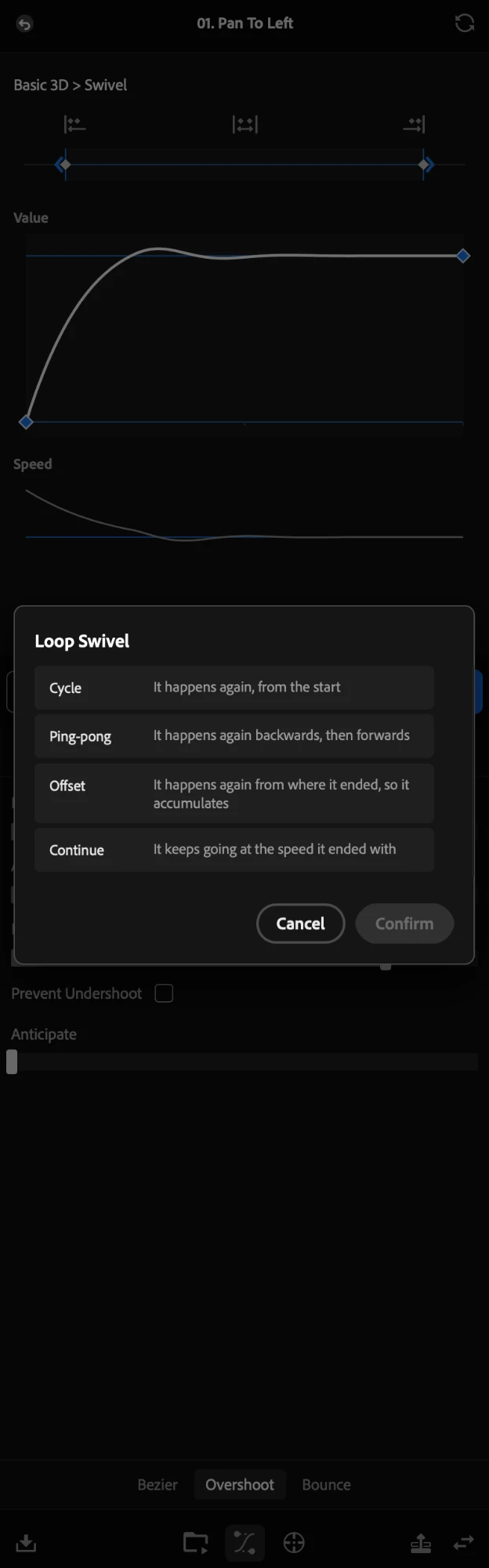
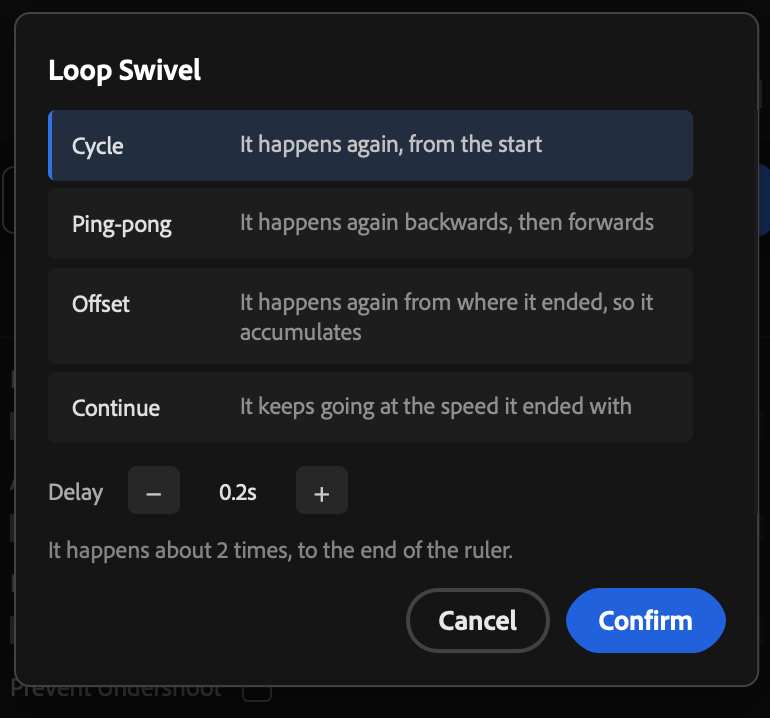
The loop repeats the animation to the end of the ruler. You choose between four behaviours.
Cycle and Ping-pong take a delay between the repetitions, and before you confirm you see how many times the animation is going to happen.
Sniper lets you apply the loop to one property on its own or to the whole clip, from the button at the top of the list. Useful, for instance, in a shake with Position and Rotation animated: with one click both properties start repeating to the end of the clip.
Cycle
Repeats the animation from the start, always the same.
Ping-pong
Repeats the animation going and coming back.
Offset
Each repetition starts where the last one stopped, so the movement keeps adding up.
Continue
Does not repeat. It carries on at the speed the animation ended with.
Warning: continued use of SNIPER may cause elevated productivity levels and a high degree of dependence on being efficient. Do not use in moderation
Aim
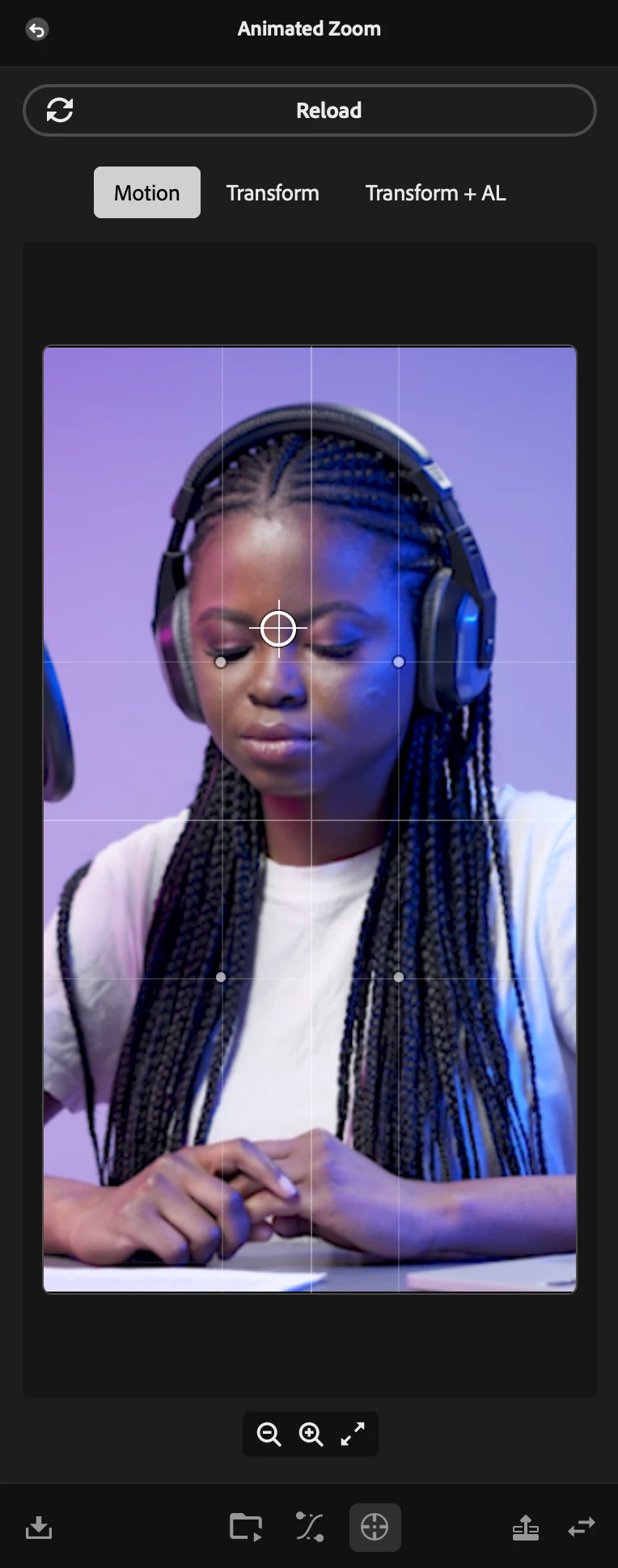
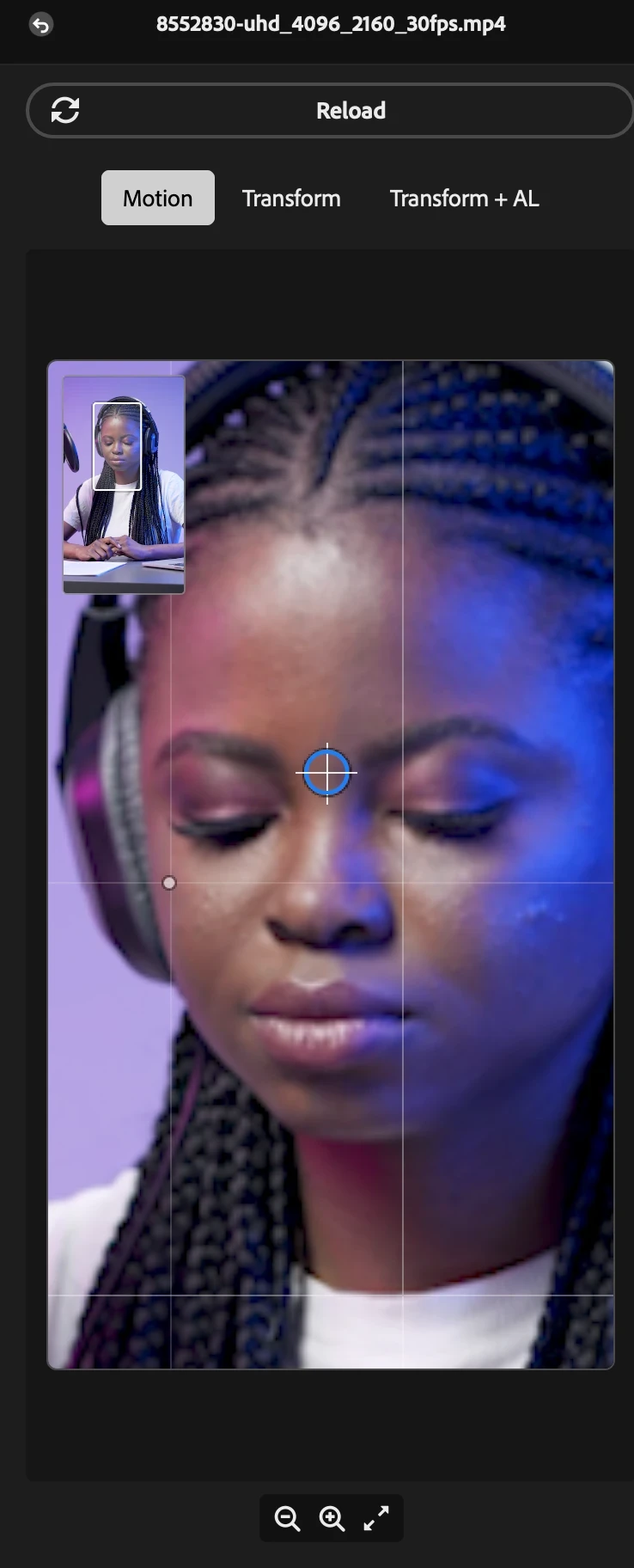
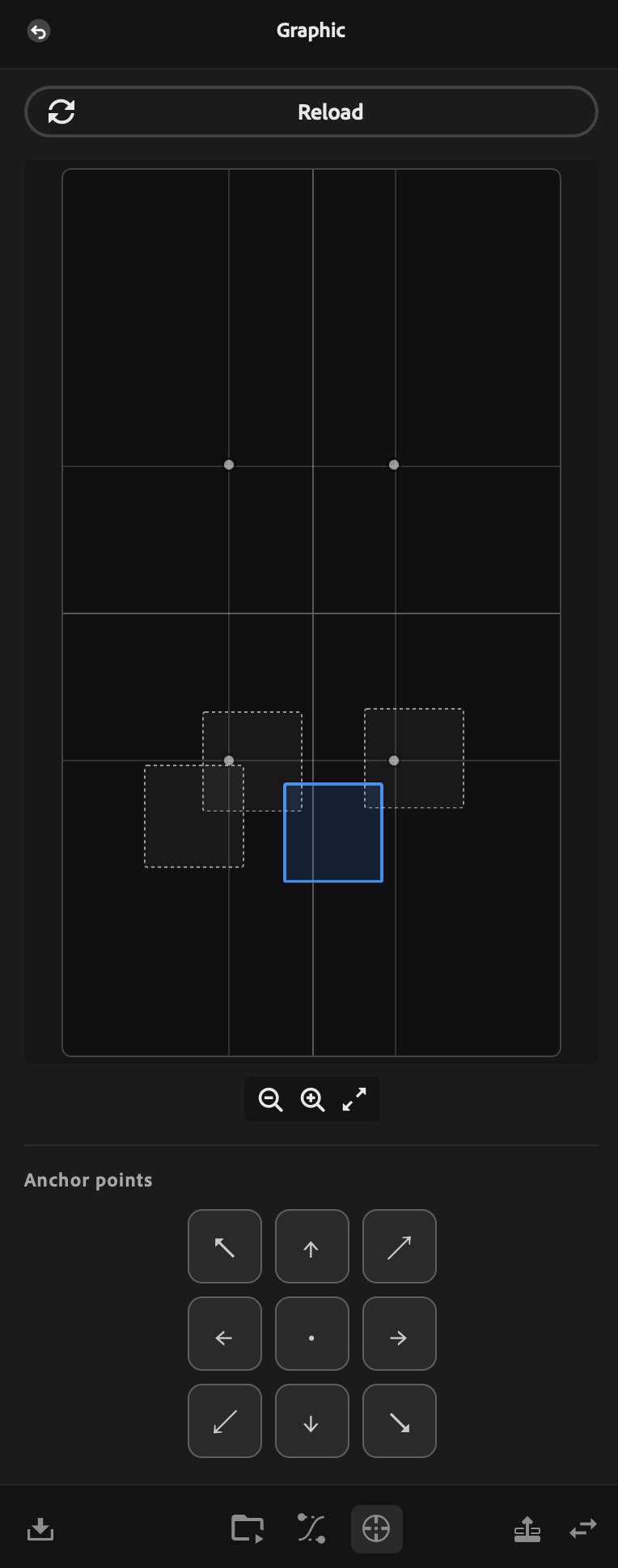
Choose where the anchor point of the clip goes, by just clicking the screen
Aim is Sniper's anchor point tool. It lets you choose where you want the anchor of the clip, simply by clicking any point of the screen, and Sniper compensates the position by itself, so the image stays exactly where it was.
Warning: continued use of SNIPER may cause elevated productivity levels and a high degree of dependence on being efficient. Do not use in moderation
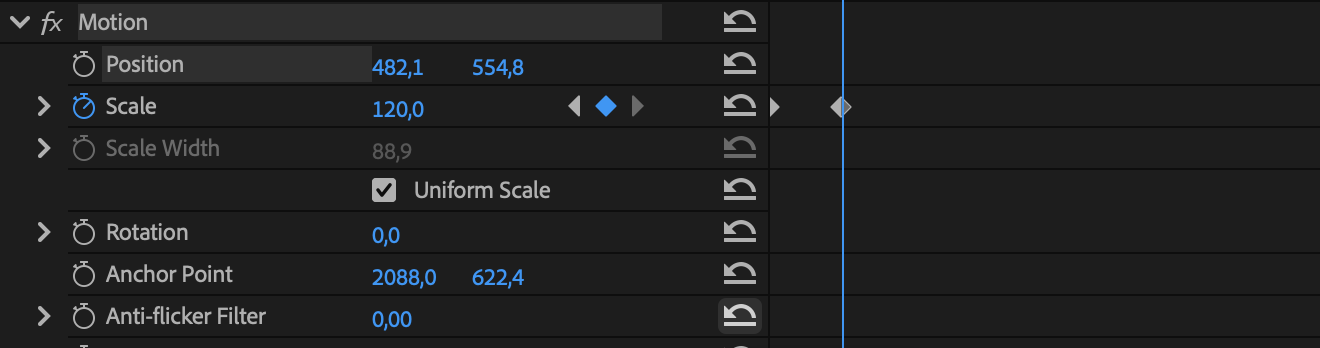
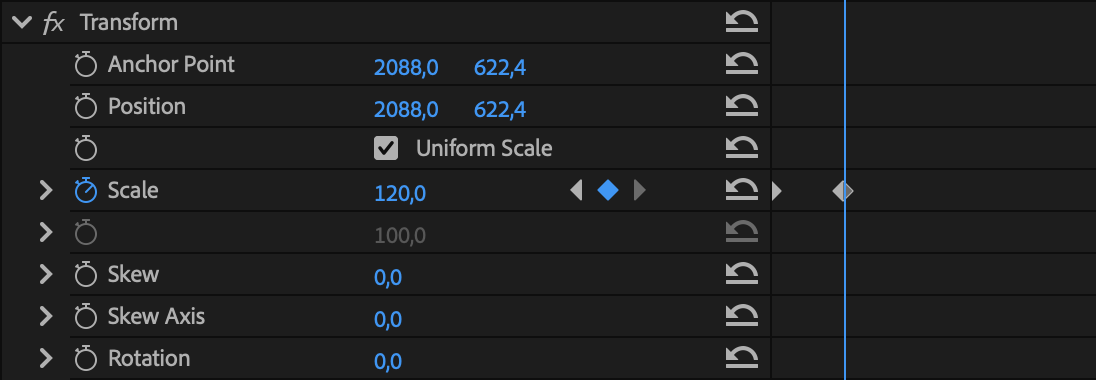
Move Motion to Transform
Transfers, in one click, all the animation of the Motion to a Transform effect on the same clip.


Move to adjustment layer
Transfers every effect of one clip, or of several clips, to adjustment layers inserted right above them, with the exact duration of each clip. The effects go up in the same order and completely editable: a Lumetri, for instance, goes along with its curves and its LUT. If the Motion was animated on the original clips, that animation is transferred to a Transform on the new layer. A clip with no effect at all also gets its adjustment layer, with a zeroed Transform already on it, for when you want to start an animation from scratch the right way.
Warning: continued use of SNIPER may cause elevated productivity levels and a high degree of dependence on being efficient. Do not use in moderation
FAQ
Questions before you buy
Which Premiere Pro version does it need?
Premiere Pro 2026 or newer, on Mac and Windows.
Can I bring the presets I already own?
Yes, you can bring your own presets. See Import your own presets in the manual to learn how.
Do I need to nest anything to save it?
No, you never nest anything. See Content bullets in the manual to learn how to save your bullets.
Does a saved animation keep its ease?
Yes, with its ease curves. See Effect bullets in the manual, which explains how Sniper recreates your ease.
Can I change a bullet after saving it?
Yes, any of its settings, at any time. See Edit a Bullet in the manual to learn how.
Can I fire on several clips at once?
Yes, on the clips or on adjustment layers. See Firing Bullets in the manual and learn every way you can fire a bullet.
Does it work with audio?
Yes, with your SFX and with the audio of your clips, in the Ease too. See The Ease tool in the manual to learn more.
Do I need After Effects?
No, everything happens inside Premiere Pro, on your own timeline. And maybe you will never need it again 👀
Does the panel fit my workspace?
Yes, the panel adapts to the space you give it.
How does the trial work?
Ten days with every tool unlocked, on your own projects, so you can test everything before buying.
Is there anything it cannot do?
A few things, because of limits in Adobe's APIs. See Limitations in the manual to learn more.
Warning: continued use of SNIPER may cause elevated productivity levels and a high degree of dependence on being efficient. Do not use in moderation
Every tool, documented screen by screen
Sniper comes with a full and comprehensive online manual, with every tool, every option and every setting well explained
Open the Sniper manualSniper by C2 Media & Tech Lab